Create with AIToolsHow it worksPricingFAQDownload for Windows

Photo, video, audio and AI.
All in one app.

One tool, hundreds of uses. From a quick video trim to a full short film made with AI: VerseBox sits at the top of your screen and gets it done right away, without opening anything else.

Windows 10 and 11 2.5 MB installer Try it for free
What to do with retrato.jpg?
Remove background
Upscale image
Convert
Compress
Background Remover
Removing the background…Save PNG
AI Video Kling 3.0 · 10 s
≈ 70 creditsGenerate video
retrato.jpg
Done · Background removedretrato.jpg · click to view
AI Videogenerating · 10 s

The world's most used AI models, inside VerseBox

Create with AI

From idea to finished video,
without switching apps.

You describe it, VerseBox picks the way and shows the cost before generating. Results stay in your history, and a notice in the corner of the screen lets you know when it's done.

AI

Story Studio

Write the story. The AI creates the characters, splits it into scenes, keeps the same face, outfit and setting in every one of them and edits the final video with synced captions.

Consistent charactersContinuous takesCaptions from audio
AI

AI Video

Kling, Wan and Seedance in one place. Add people and objects with @references.

AI

Video Swap

Swap the person in a video while keeping motion, camera and audio.

AI

AI Image

Create from scratch or edit your photos, with face-faithful models.

AI

Voice and voice cloning

Natural narration in 15 languages, even with your own voice.

On your computer

Your everyday tools, without ad-packed websites.

Drag the file to the VerseBox bar and choose what to do. They run on your Windows, with no queue, no size limit and without sending your files anywhere.
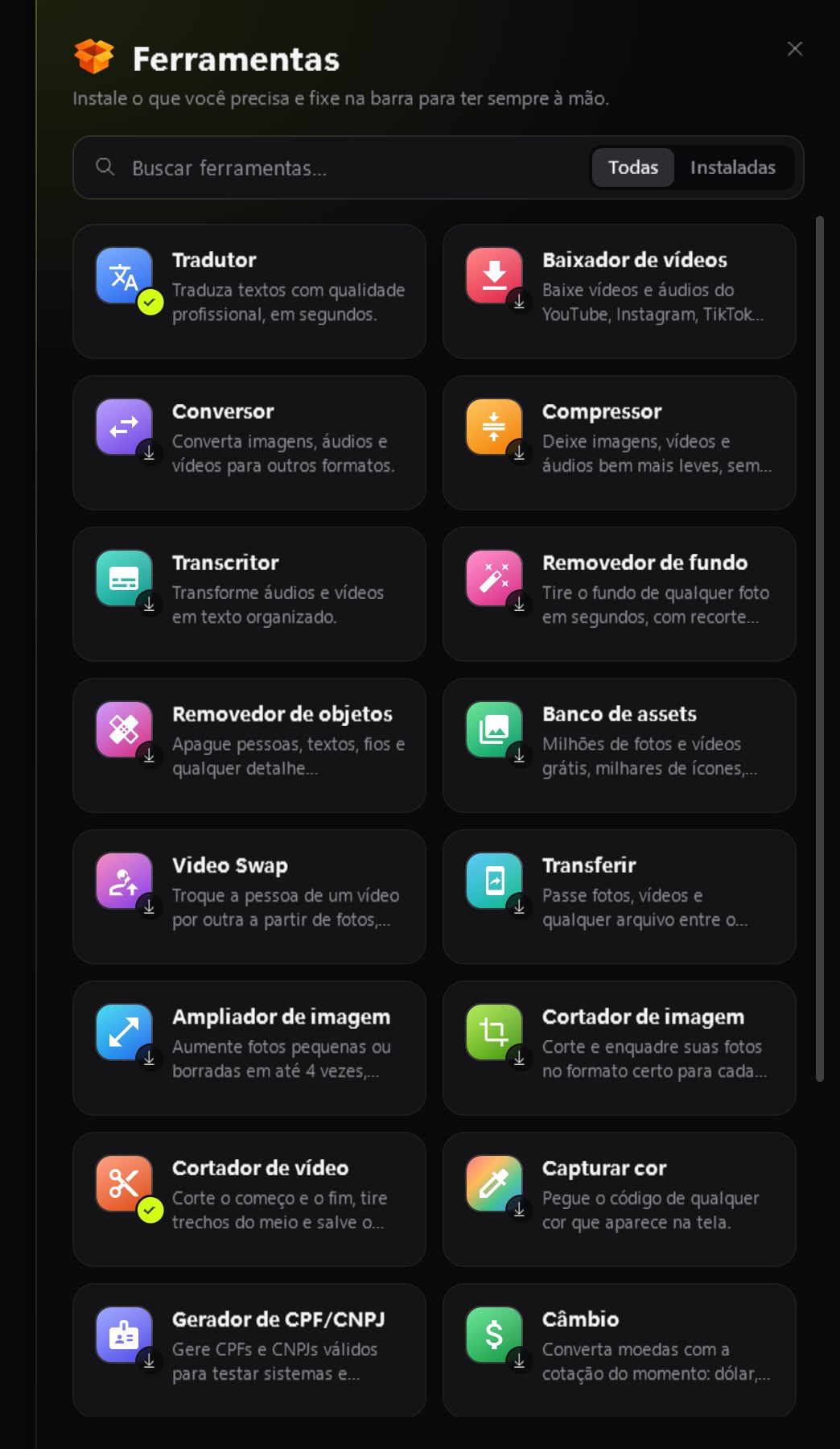
  • Install only what you use: each tool downloads when you need it.
  • One tool hands its result to the next: trimmed the video? Compress it right away.
  • Updates itself. You always have the latest version.
Video Cutter
Cut the start, the end and parts in the middle.
Background Remover
Precise cutouts, down to the hair.
Object Remover
Erase people, text and wires with a brush.
Image Upscaler
Up to 4× larger, with recreated details.
Converter
Images, audio and video to other formats.
Compressor
Much lighter files that look the same.
Video Downloader
YouTube, Instagram, TikTok and more.
Transcriber
Turn audio and video into text or SRT captions.
Translator
Professional-quality translations.
Transfer
From phone to PC over Wi-Fi, with a QR code.
Asset Library
Free photos, videos, icons and emojis.
Image Cropper
Ready-made formats for every social network.
Screen Recorder
Automatic zoom on clicks and a smooth cursor.
QR Code Generator
Permanent, with your colors and logo.
Temporary Email
Receive codes without exposing your email.
VerseBox catalog with every tool in a side drawer
All in one place

Stop hunting for tools.

VerseBox puts everything in the palm of your hand. No more looking for a different site for each task, downloading heavy software or signing up in ten places: drag the file to the bar, choose what to do and you're done.
  • One account, one app, every tool.
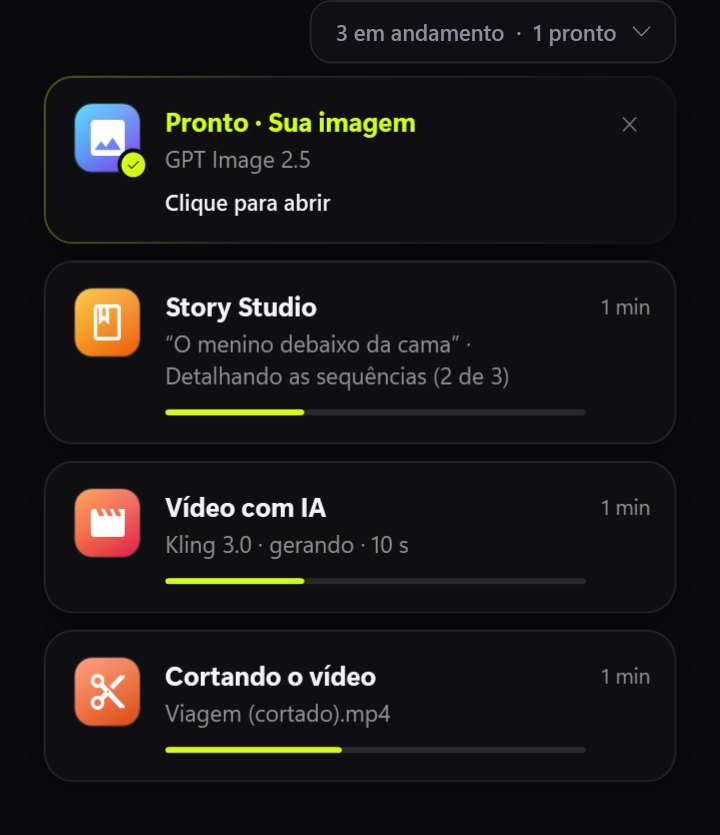
  • Long tasks run in the background and a notice in the corner tells you when they're done.
  • Try it free before subscribing.
Progress cards in the corner of the screen
How it works

Ready to use in a minute.

Download and install

A small installer that doesn't need admin rights. Create your free account with your email.

Pick your tools

Open the catalog, install the ones that make sense for you and pin them to the bar.

Drag and drop

Drop the file on the bar and choose what to do. That simple.

20+tools in one app
9image and video AI models
15AI voice languages
0ads. Ever.
Pricing

Start free. Subscribe when it makes sense.

No lock-in. The longer the period, the lower the monthly price.

Free

To try every tool before deciding.

Free

No card needed.

  • Free trial of every computer tool
  • Full catalog to install
  • AI tools
Download free

Pro

For people who work with files every day.

—/mo

  • Every computer tool, unlimited
  • Background and object remover, upscaler
  • Cutter, converter, compressor and downloader
  • Transcriber and translator
  • AI credits
Start with Pro
Most popular

Pro + AI

The tools plus the best image, video and voice AIs.

—/mo

  • Everything in Pro
  • 1,000 AI credits every month, on any billing period
  • Story Studio, AI Video and Video Swap
  • AI Image, voice and voice cloning
  • Credit top-ups whenever you need
Start with Pro + AI
Pro lifetime

Pay once and use the computer tools forever. AI credits are not included.

—Get lifetime

You subscribe inside the app, with secure payment through Stripe. Recurring plans are charged to your card and you can cancel anytime. Taxes may be added depending on your country.

FAQ

Frequently asked questions

Does it work on Mac or phones?
For now, VerseBox is for Windows 10 and 11. The Transfer tool uses your phone only to send files to the computer, through the browser, without installing anything on the phone.
Windows showed a warning when opening the installer. Is it safe?
New programs without a download history yet may show up as "unknown publisher" in SmartScreen. The installer is published only on this site. See the steps on Download.
Are my files uploaded to the internet?
Not with the computer tools: cutting, converting, compressing, removing backgrounds, upscaling and transcribing run on your machine. Only the AI tools send what's needed (the text, the reference photos) to generate the result, as explained in the Privacy Policy.
How do AI credits work?
Pro + AI comes with 1,000 credits per month on any billing period (monthly, quarterly, every 6 months or yearly). You see the cost before every generation. Monthly credits renew at the turn of each month and don't roll over. If you need more you can top up; purchased credits don't expire.
Can I cancel anytime?
Yes. In Settings, "Manage subscription" opens the billing portal, where you can cancel, change your card and see your invoices. Your plan stays active until the end of the paid period. Online purchases can also be withdrawn within 7 days for a refund.
What is Pro lifetime?
A one-time payment that unlocks the Pro plan's computer tools forever, including their updates. AI credits are not included: for the AI tools, subscribe to Pro + AI whenever you want.
Do I need a powerful computer?
No. Most tools run on any PC with Windows 10 or 11. The Image Upscaler uses the graphics card, and even integrated ones work. The AIs run on our servers.

Your next project starts with a dragged file.

Download free, try every tool and subscribe only if it's worth it.

Download for Windows